Food Bank Attack
Investing in AI technology or robust cybersecurity defenses is often challenging when no attack has been detected.
However, the absence of detection does not guarantee the absence of a threat actor already within the network, or that a future attack will not occur.
This situation played out at a small company:
The Victim
“Community Food Bank” – a 12-person nonprofit in Ohio. This organization had an annual budget around $1.4M, which included grants and donations. They have one overworked IT staff member, but he was part time. The organization had 8 staff computers, a shared QuickBooks file on a 10-year-old Windows server in a closet, and a website that takes online donations via a third-party. Everyone uses the same local admin password that hasn’t changed in years (“FoodBank2021!”).
How the attack actually started (late October 2024)
The executive director, “Sarah”, gets a phishing email that looks exactly like a PayPal receipt for a $487.32 donation. Subject line read: “Thank you for your donation – receipt attached.” The PDF was actually a malicious file (disguised with a double extension: Donation_Receipt.pdf.exe). Sarah double-clicks it on her laptop while working from home on the VPN.
The payload is for an off-the-shelf infostealer, which sold for ~$100 on underground forums. Within 20 seconds it:
• Grabs saved passwords from Chrome (including her personal banking)
• Takes screenshots
• Starts logging every keystroke
• Finds the saved QuickBooks password and the Remote Desktop (RDP) credentials IT uses
Two weeks of quiet persistence (early November)
Attackers can be patient. In this case, the attackers log in as Sarah multiple times after hours using her stolen credentials, map the network, and discover the Windows server that still has domain admin rights. They escalate privileges using a publicly known exploit (PrintNightmare, unpatched since 2021).
On November 12 they push ransomware to every computer and the server. Encryption starts at 2:14 a.m.
The morning everyone notices (November 13)
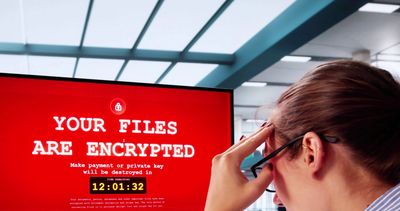
• Staff arrive to find ransom notes on every desktop demanding 4 Bitcoin (~$380,000 at the time).
• The QuickBooks company file is encrypted. Their last good backup? An external hard drive that was plugged into the server 24/7… also encrypted.
• Donor database (Excel + an old Access database) – gone.
• Their website was defaced with a mocking message and a leak of the previous year’s board minutes and salary list.
• The attackers already used Sarah’s stolen PayPal and bank logins to drain $9,800 from the nonprofit’s operating account and $6,200 from her personal account the week before (they waited until payday).
The fallout
• Ransom demand is way above insurance coverage ($100k cyber policy with a $10k ransomware sub-limit – common for small nonprofits).
• They pay an “incident response” firm $25k just to negotiate. The attackers drop the demand to $140k, paid in Bitcoin.
• Total cash loss: ~$175k (ransom + stolen funds + IR fees).
• They’re offline for 19 days. Emergency food distributions stop. A local news station runs the story: “Food Bank Paralyzed by Hackers.”
• Two major foundation grants are put on hold pending an audit.
• Sarah resigns under pressure from the board. The part-time IT staff quits the same week.
• Six months later the food bank is still trying to rebuild donor trust and is operating at ~60% of previous capacity.
Why this is so common for small organizations
• No real firewalls or endpoint detection (just Windows Defender + expired consumer antivirus).
• No multi-factor authentication anywhere (email, QuickBooks Online would have stopped this, but they were still on desktop version).
• Password reuse and local admin rights on every machine.
• Flat network – once one machine is compromised, everything is reachable.
• “We’re too small to be a target” mindset.
• Backup strategy that wasn’t actually offline/air-gapped.
This exact pattern (infostealer → credential theft → RDP/domain admin → ransomware) happens literally thousands of times per month to organizations under 100 employees.
The FBI’s 2024 IC3 report showed the median ransomware demand for companies with <100 employees was $150k–$300k, and nonprofits are hit disproportionately hard because they rarely recover financially or reputationally.
The scary part: the entire attack would have been prevented by three cheap/free things that take an afternoon to set up:
1. MFA on Microsoft 365/email
2. Proper offline backups (the 3-2-1 rule)
3. Disabling unnecessary RDP and using a modern endpoint protection tool
Small businesses and nonprofits aren’t “too small” to be targeted — they’re often the path of least resistance.
Please let us know if you want to talk about your security. We’ll help you whenever you’re ready.
Details have been anonymized to protect the victim, but this is the type of incident we respond to throughout 2025.
Small Business Account Takeover
Here is an example of an incident response situation we were called in to help on.
The Victim: A Local Coffee Shop
“Java Shop” is a family-owned coffee shop in Northeast Ohio, with about 15-20 employees total. They have an annual revenue of around $750,000 from in-store sales, online orders, and catering.
Their setup is simple: a few laptops for staff, a point-of-sale system for payments, a shared email account for orders, and social media pages on Facebook and Instagram to promote daily specials.
The owner, Erin, handles most of the tech stuff herself, using the same easy-to-remember password (“Coffee123!”) for everything from email to banking apps. They didn’t think much about security since they’re a small operation focused on serving coffee, not worrying about cyber attacks.
How the Attack Unfolded (Mid-July 2025)
It started innocently enough. One afternoon, the shop’s barista manager, Lisa, got an email that looked like it was from their coffee bean supplier. The subject said: “Urgent Invoice Update – Action Required.” Attached was what seemed like a routine PDF bill, but it was actually a sneaky file designed to steal information. Lisa opened it on her work laptop while checking orders during a busy shift.
Once opened, the file quietly grabbed saved passwords from her browser – things like the shop’s email login, social media credentials, and even access to their online banking portal. The attackers, likely a group operating from overseas, used these details to log in remotely. Over the next few days, they tested the waters without raising alarms.
By the end of the week, things escalated. They took over the email account first, sending fake invoices to customers and suppliers, tricking a few into wiring $8,500 to a bogus account. Then they hijacked the Facebook and Instagram pages, posting spam ads for fake giveaways that linked to scam sites, which damaged the shop’s reputation as angry customers complained. Finally, they accessed the banking app and transferred $12,000 to untraceable accounts before Erin noticed unusual activity alerts on her phone.
The Immediate Fallout
The shop was in chaos for over a week. Online orders stopped because the email was locked out, leading to lost sales of about $4,000. Social media followers dropped by 20% after the spam posts, and it took days to regain control, during which competitors poached some regulars. Erin had to deal with upset customers demanding refunds for the fake invoices, and the bank froze their account, delaying payroll. Total financial hit: around $25,000 in stolen funds and lost business, plus hours of stress that pulled everyone away from running the shops.
This kind of account takeover chain is incredibly common for small businesses. Attackers often start with one weak spot, like a shared password or an unverified email attachment, and snowball into controlling multiple accounts. Reports from cybersecurity groups show that small businesses face over 700 such attempts per year on average, often because they reuse passwords or skip basic checks.
How We Stepped In: Investigation, Recovery, and Strengthening Defenses
When Erin reached out to us in a panic, we started by calmly gathering the facts without overwhelming her with details. We asked simple questions like what emails looked suspicious, which accounts were affected, and when she first noticed issues. By reviewing his device logs and recent activity (things like login times and locations), we pinpointed that the trouble began with that supplier email and spread because the same password was used everywhere.
To get things back, we worked with the email provider, social platforms, and bank to verify Erin’s identity and reset access – this involved providing proof like business documents and answering security questions. We also froze any outgoing payments and helped recover part of the stolen money through the bank’s fraud team, getting back about $15,000 within two weeks.
Finally, to make sure it wouldn’t happen again, we set up easy safeguards: unique strong passwords for each account (managed with a simple password app), extra login steps like getting a text code before accessing sensitive stuff, and training for the team on spotting fake emails (like checking sender addresses closely). We also added alerts for unusual logins and recommended free tools to scan devices regularly. The whole process took about 10 days.
If this sounds familiar or you’re worried about your own setup, we’re here to help. Drop us a line for a quick chat – no strings attached.
Details have been anonymized/changed to protect the victim, but this is a composite of several virtually identical incidents we have responded to in 2025.